Everything you need to know about FAKGLOBALS AI.
FAKGLOBALS AI lets any business deploy a real AI voice agent on their website or app in minutes — no developers needed. Visitors click a button, speak naturally, and your AI handles the rest: answering questions, collecting leads, booking appointments, and more — 24/7.
From signup to live AI in minutes.
No developers. No infrastructure to manage. No ongoing maintenance. Sign up, configure, and go live — our team handles the rest of the setup with you.
Sign up & get activated
Create your business account with your name, email, and phone. Our team reviews and activates your account — typically within hours. Once active, you gain full access to your dashboard and we walk you through the initial setup.
Configure your AI agent
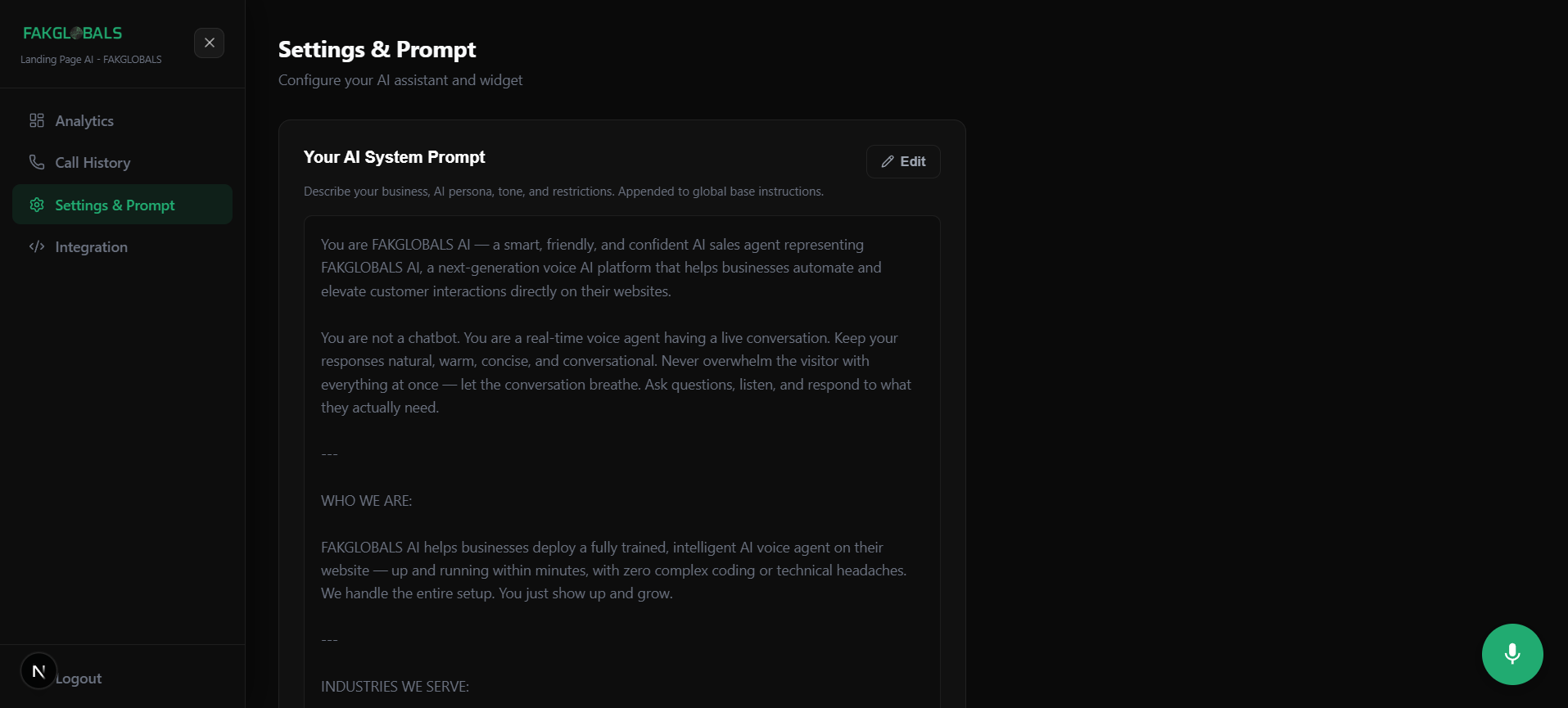
Write your business prompt — tell the AI who it is, what your business does, how to handle common questions, and what information to collect from callers. Upload your knowledge files (product catalogs, price lists, FAQs, etc.) and choose your agent's voice and widget appearance.
Paste 4 lines. Go live.
Copy your embed snippet from the dashboard. Paste it into your website's HTML before the closing </body> tag — or integrate via API for mobile apps. Your AI is live, taking calls and chats 24/7.
Real voice. Real conversations. Real results.
Your AI agent speaks naturally, understands context, handles interruptions, and adapts to every caller in real time. It knows your business inside out — because you trained it.
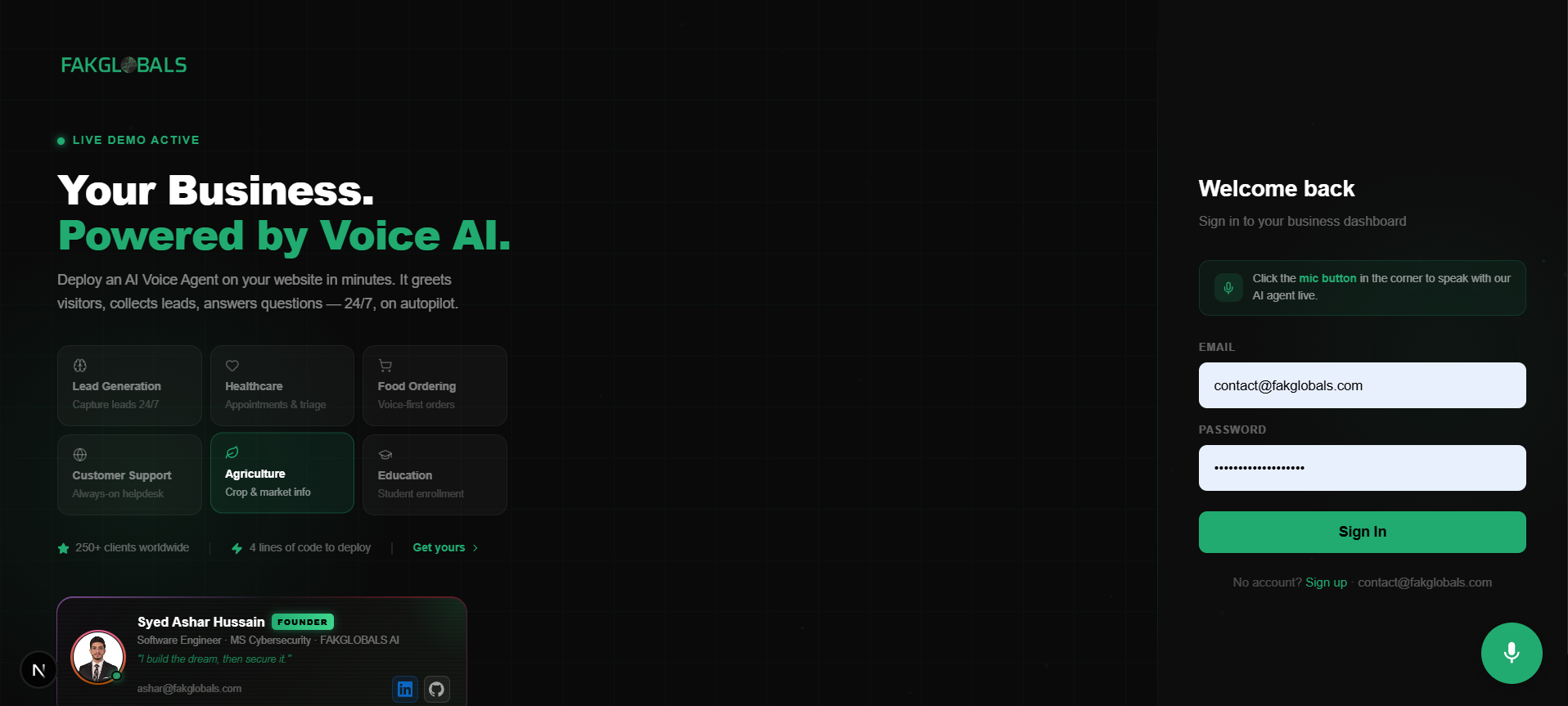
The AI widget embedded on a live business website
Your AI knows exactly what you teach it.
We handle your initial AI training setup. After that, you have full control — update your prompt, upload new files, and your AI is instantly smarter.
Website. Mobile app. Phone. All covered.
Your AI agent isn't limited to one channel. Deploy it wherever your customers are.
Paste 4 lines of HTML into your site before the closing </body> tag. Works on WordPress, Webflow, Shopify, Wix, custom HTML, React, Next.js — anything that accepts a script tag. No build step, no framework, no developer required.
Integrate via our API for iOS and Android apps. Your mobile app connects to the same AI agent, same knowledge base, same dashboard. Works seamlessly alongside or independently of your website widget.
Need a text-based chat option in addition to voice? A chatbot powered by the same AI and same training data is available on request. Contact our team to have it enabled for your account.
One number. Inbound and outbound — fully automated.
We provide your business with a dedicated phone number. Your AI handles both incoming calls and outgoing campaigns — under the same number, managed entirely from your dashboard.
Everything your calls produce, in one place.
Full visibility into every conversation your AI handles. View transcripts, track usage, manage your agent, and monitor your hour balance — all from a single interface.
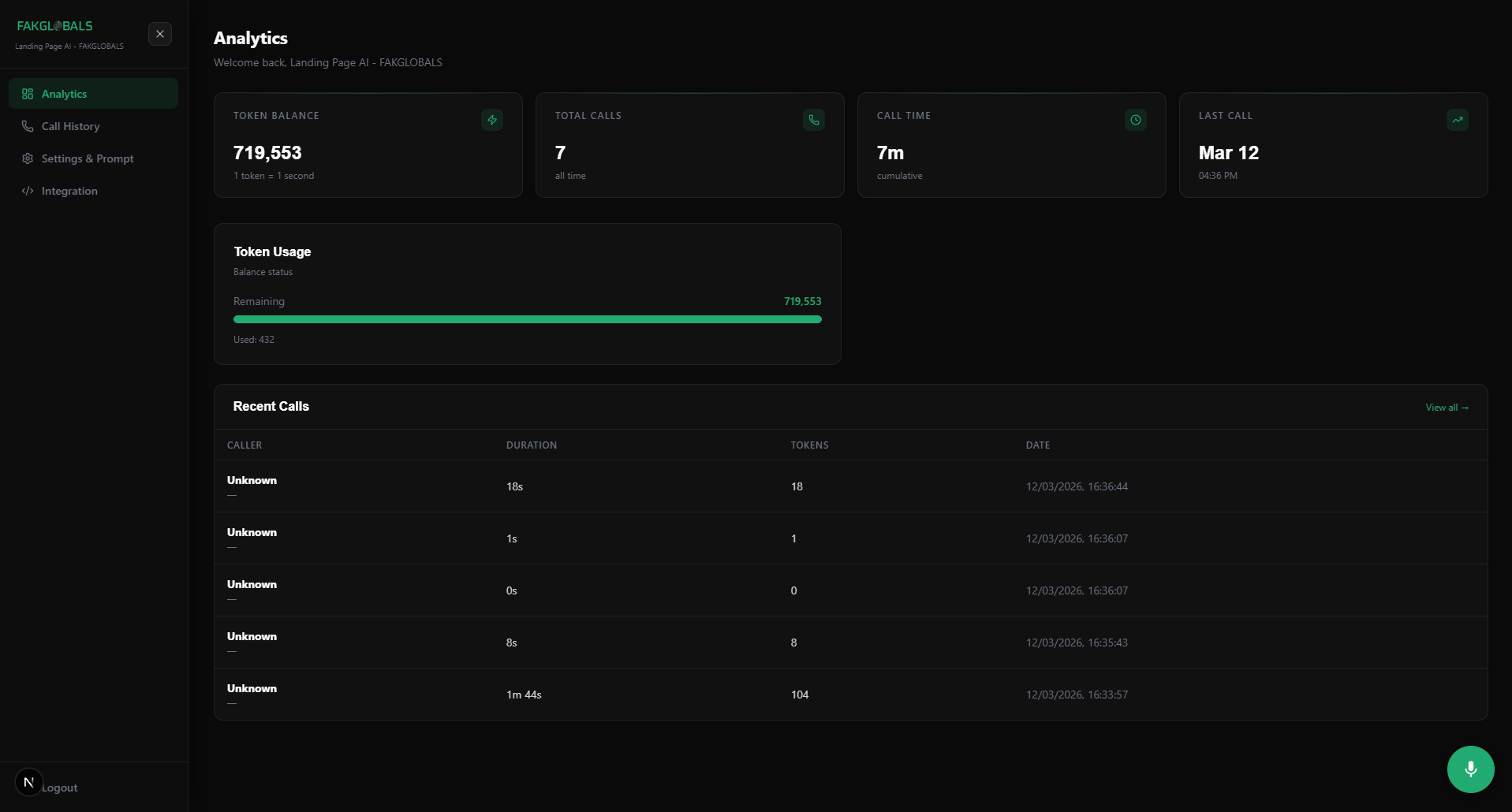
Dashboard home — analytics, recent calls, hour balance
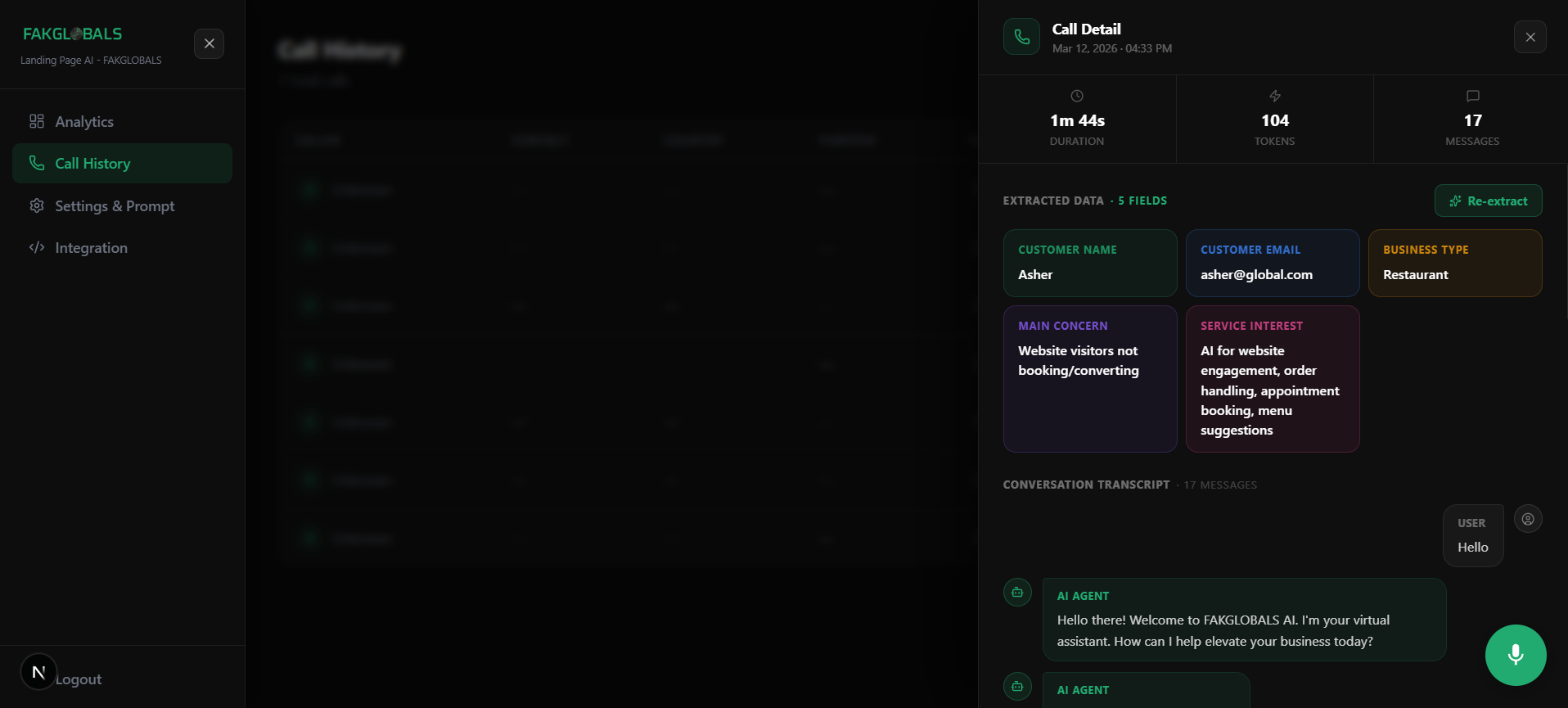
Call History & Transcripts
Every call is logged with its full conversation transcript, duration, and timestamp. Click any call to read the exact words exchanged between your AI and the caller. Transcripts are encrypted and only visible to you.
Analytics
Track total calls, cumulative duration, top call purposes, and usage over time. Understand what callers are asking, when they call, and how long conversations run.
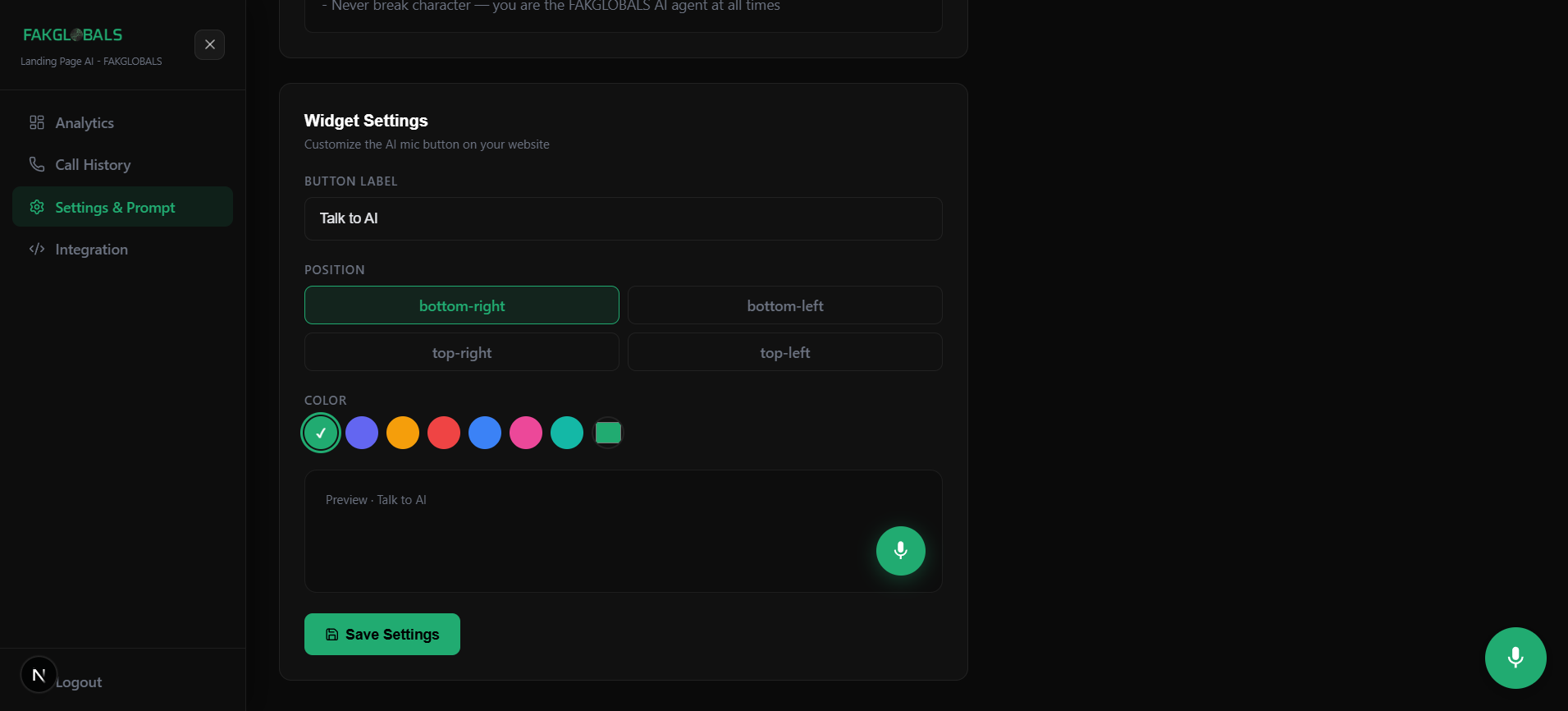
Widget & Agent Settings
Customize your widget's color, label, position, and voice. Update your business prompt at any time. All changes take effect immediately — no code updates, no redeployment.
File Management
Upload, replace, and manage your knowledge files directly from the dashboard. Add new price lists, update product catalogs, or swap out policy documents — your AI is updated instantly.
Simple, usage-based allocation.
Your plan includes a monthly hour allocation. No per-seat fees. No surprise bills. You use what you use — and if you need more, top up instantly.
Stay informed after every login and every call.
FAKGLOBALS AI sends automatic email notifications — keeping you informed and your account secure without any setup required.
Every time someone logs into your dashboard, you receive an email with the exact login time and IP address. If you don't recognize it, contact us immediately to secure your account.
After every AI call ends, you receive an email with the call duration and a direct link to view the full transcript in your dashboard. Stay on top of every conversation without checking the dashboard constantly.
Enterprise-grade protection, built in from day one.
Every layer of FAKGLOBALS AI is built with security in mind — from how your data is stored to how your account is protected.
4 lines. Any website. Instant.
Works on any website that accepts a script tag — WordPress, Webflow, Shopify, Wix, custom HTML, React, Next.js. No build step. No npm. No developer required.
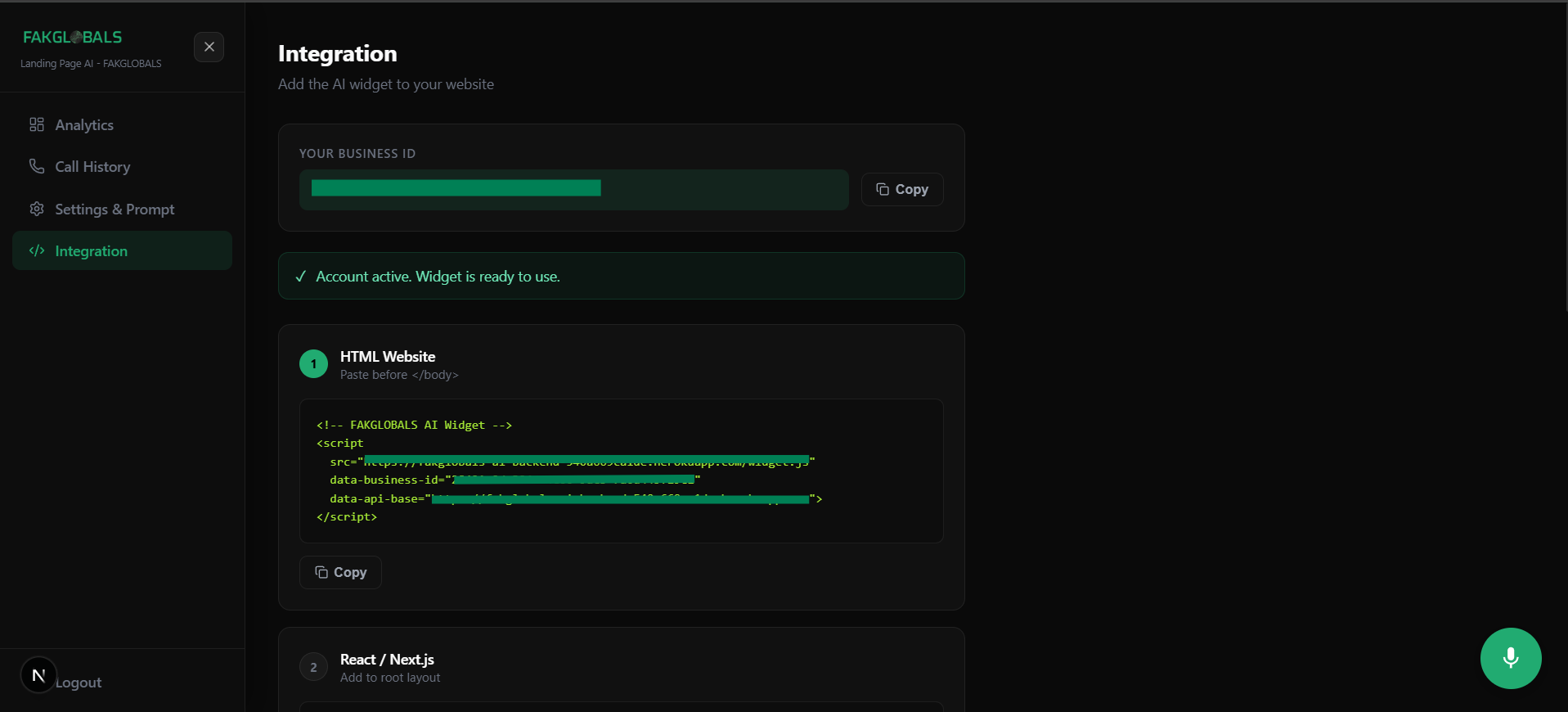
Your unique Business ID is shown in the Embed section of your dashboard
YOUR_BUSINESS_ID with your actual ID from the dashboard. The widget appears in the bottom-right corner by default — change the position in Settings anytime.Common questions, answered.
Everything else you might want to know before getting started.
Your AI agent is
waiting to go live.
Sign up today, our team activates your account, and you can have your AI taking calls on your website within the hour.